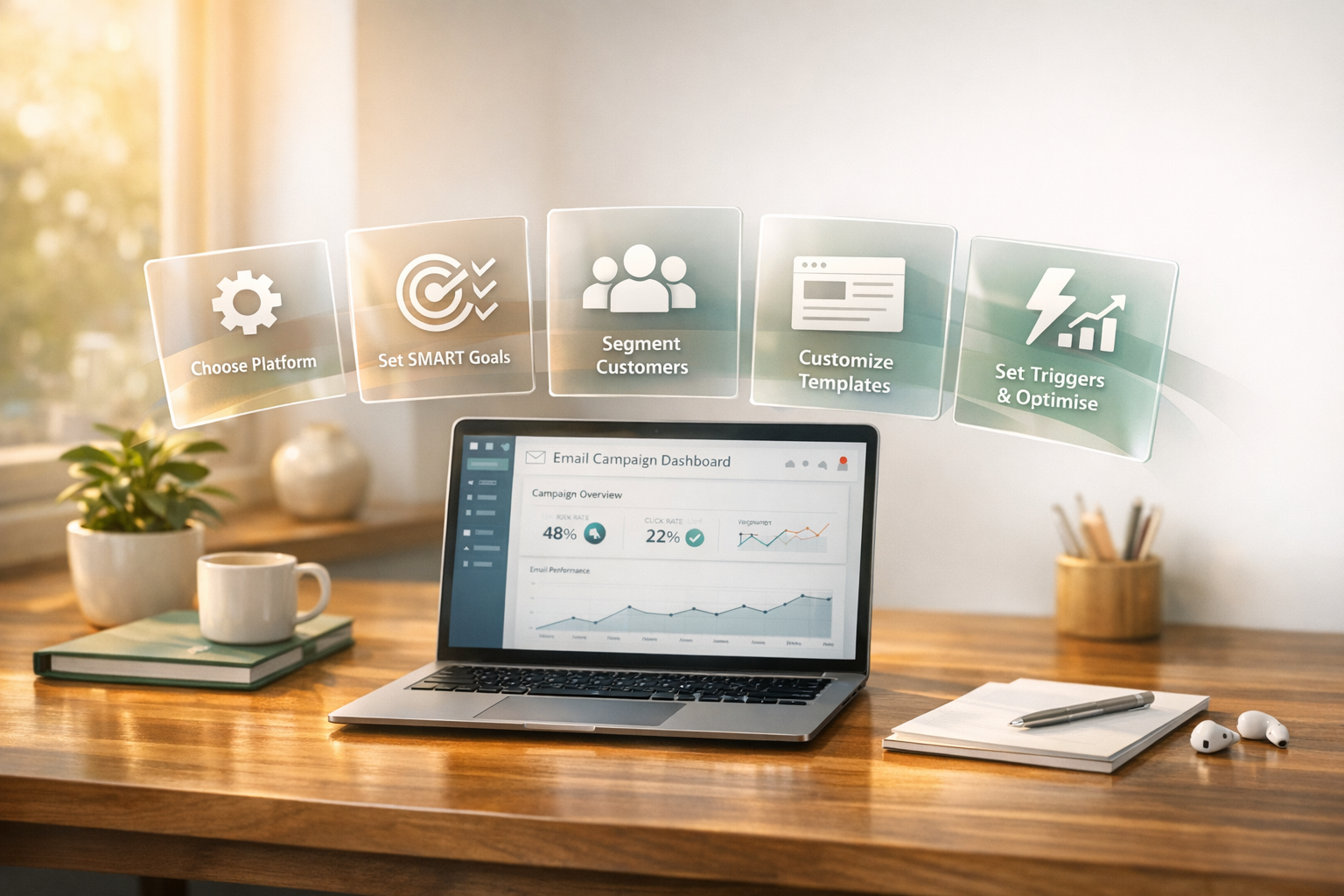
How to Set Up Automated Email Campaigns in 5 Steps
Automated email campaigns can save time and drive revenue for Shopify store owners in India. By following five clear steps, you can create email workflows that engage customers, recover abandoned carts, and boost sales. Here's what you need to know:
- Choose the Right Platform: Pick a tool that integrates with Shopify, supports AI-driven personalisation, and offers pre-built templates. Tools like Messagesuite simplify this process.
- Set Goals and Segment Customers: Define SMART goals (e.g., "Recover 20% of abandoned carts in 3 months") and use AI for customer segmentation based on behaviour and preferences.
- Customise Templates: Use pre-built email templates for welcome series, cart recovery, and more. Tailor them with your branding and dynamic placeholders for personalisation.
- Set Triggers and Conditions: Automate emails based on customer actions like cart abandonment or sign-ups. Test these workflows to ensure they function correctly.
- Launch and Optimise: Track metrics like open rates, conversion rates, and revenue. Use A/B testing to refine subject lines, timing, and content for better results.
Automated emails make up just 2% of total email volume but drive 37% of sales, offering a high return on investment. Start with essential campaigns like welcome sequences and cart recovery to see immediate results.
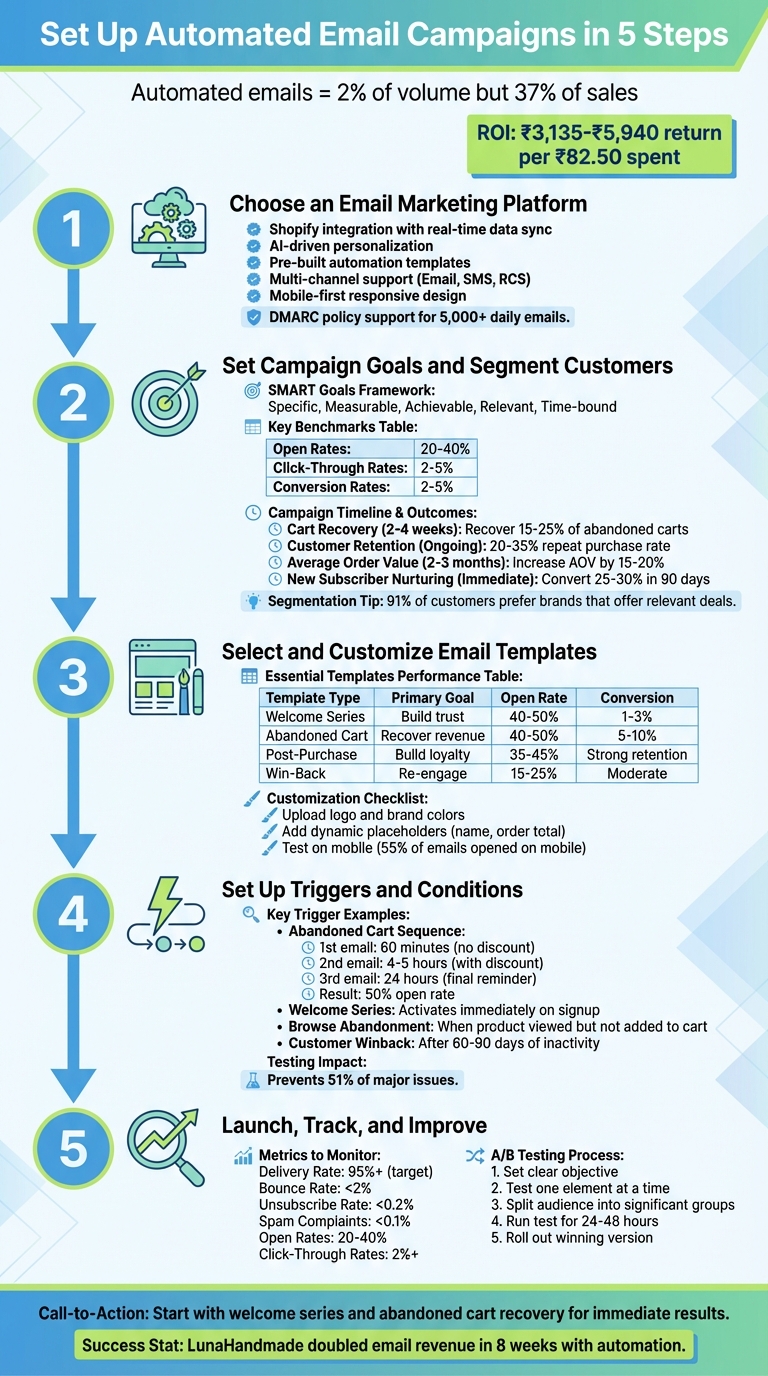
5-Step Guide to Setting Up Automated Email Campaigns for Shopify
How To Set Up Automated Emails On Shopify (2025)
sbb-itb-e5ef79e
Step 1: Choose an Email Marketing Platform
The platform you pick sets the tone for your email marketing success. Look for one that integrates seamlessly with Shopify, pulling in real-time data like product details, pricing, and customer history. This ensures your campaigns are always accurate and saves you from manual updates.
An ideal platform should also leverage AI to craft product-specific subject lines and determine the best times to send emails, helping you maximise engagement. Additionally, it should support behavioural triggers tied to Shopify actions, enabling automated workflows like abandoned cart emails, post-purchase follow-ups, and browse-abandonment reminders. Advanced segmentation based on purchase history or product preferences is another must-have to personalise your campaigns effectively.
Features to Consider
When evaluating platforms, prioritise those offering pre-built automation templates for typical e-commerce scenarios. These ready-made workflows - such as welcome emails, win-back campaigns, and upsell sequences - save you time and come with proven trigger logic already configured.
Multi-channel support is another key feature. A platform that lets you manage email, SMS, and RCS campaigns from a single dashboard ensures consistent messaging and consolidated analytics, avoiding fragmented customer experiences.
Since most emails are opened on mobile devices, mobile-first design is essential. Look for responsive templates with single-column layouts and large, tappable call-to-action buttons to ensure a smooth experience across devices. This helps eliminate formatting issues and improves conversion rates.
For businesses sending over 5,000 emails daily, ensure the platform supports DMARC policies and CNAME records to protect your domain reputation. Keeping spam complaint rates under 0.3% - ideally below 0.1% - is crucial for maintaining a strong sender score.
Messagesuite is one such platform that ticks these boxes, offering a Shopify-specific design to simplify your email marketing efforts.
Why Messagesuite Works for Shopify
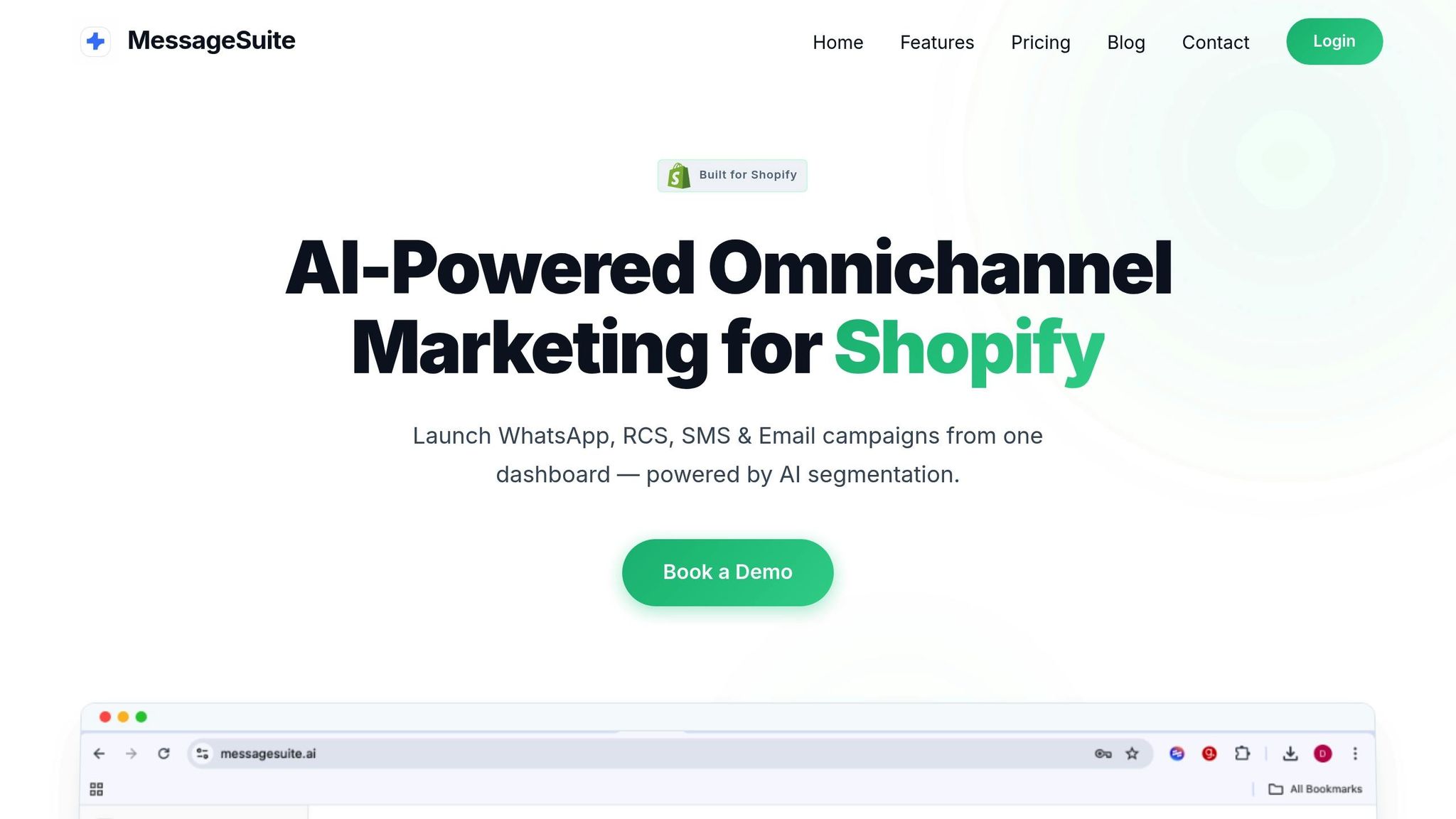
Messagesuite stands out by integrating directly with Shopify, automatically pulling in your store's branding and product catalogue to create ready-to-send email templates. This makes launching automated campaigns quick and hassle-free. The platform also uses Shopify Magic to generate marketing copy and subject lines based on live store data, including current prices and product availability.
Its Sidekick AI assistant takes the guesswork out of optimisation, suggesting the best send times for individual subscribers and providing actionable insights from campaign performance data. This eliminates the need to manually analyse metrics.
Messagesuite also offers a unified dashboard for managing email, SMS, and RCS campaigns, ensuring consistent communication across all channels. Features like express checkout buttons embedded in emails further streamline the buying journey, allowing customers to complete purchases with minimal effort. The platform provides 10,000 free emails per month, with additional sends priced at ₹82.50 per 1,000 emails.
"Step one is to set up all your automation to make sure that when people sign up, there's something there to greet them." – Desirae Odjick, Product Marketing Lead, Shopify
With pre-built workflows for abandoned carts, welcome sequences, and win-back campaigns, Messagesuite helps you get started in no time. Features like dynamic product recommendations and inventory-aware messaging ensure your emails remain relevant and up-to-date, reflecting your store's actual offerings.
Step 2: Set Campaign Goals and Segment Your Customers
Before jumping into workflows, it’s crucial to know what you’re aiming for and who you’re targeting. Without clear goals, your emails risk getting lost in the noise. And without segmentation, every customer gets treated the same way - hardly a recipe for success.
Creating SMART Campaign Goals
Your campaign goals should follow the SMART framework: specific, measurable, achievable, relevant, and time-bound. For example, instead of saying, “We want more sales,” aim for something like, “Recover 20% of abandoned carts within the next quarter” or “Increase the average order value by 15% among first-time buyers in two months.”
Tracking the right metrics is key to seeing strong results. While email marketing can deliver returns of ₹3,135 to ₹5,940 for every ₹82.50 spent, don’t get fixated on vanity metrics like open rates. Instead, focus on metrics that matter: revenue per email, conversion rates, and customer lifetime value. To give you an idea, industry benchmarks suggest open rates of 20–40%, click-through rates of 2–5%, and conversion rates of 2–5%.
"Oftentimes when we're capturing data, when we're trying to understand customers, we don't do it with an intention of what we're going to do with that data." – Neil Hoyne, Chief Strategist for Data and Measurement, Google
Set quarterly goals with weekly progress reviews. Identify your primary revenue target, track 3–5 key metrics, and define what success looks like - such as achieving a conversion rate of 2% or higher. This keeps your efforts focused and measurable.
| Goal Type | Implementation Timeframe | Expected Outcome/Benchmark |
|---|---|---|
| Cart Recovery | 2–4 weeks | Recover 15–25% of abandoned carts |
| Customer Retention | Ongoing | Boost repeat purchase rate to 20–35% |
| Average Order Value | 2–3 months | Increase AOV by 15–20% |
| New Subscriber Nurturing | Immediate | Convert 25–30% of subscribers in 90 days |
Once your goals are set, the next step is tailoring your audience using AI-driven segmentation.
Using AI to Segment Customers
Segmentation is where your campaign goals meet real-world execution. When done right, it ensures your messages resonate. In fact, 91% of customers say they’re more likely to shop with brands that recognise their needs and offer relevant deals. AI makes this level of personalisation achievable - even at scale.
Start with segments that can have an immediate impact, like cart abandoners or VIP customers. Tools like Messagesuite use AI to analyse purchase history, browsing habits, and engagement data, automatically grouping customers into actionable segments. By blending traditional RFM scores (Recency, Frequency, Monetary value) with predictive analytics - such as churn likelihood or upgrade potential - you can craft highly targeted campaigns.
Here’s an example: In 2024, olive oil brand Graza used AI-driven segmentation to target small groups of 200–300 customers based on specific behaviours. This approach helped them scale their gross sales to over ₹396 crore ($48 million). Similarly, Superfit Hero achieved an 8% conversion rate - their highest ever - by implementing a 40-day automated welcome series with strategic segmentation and escalating discounts.
To further refine your segmentation, use preference centres to collect zero-party data directly from customers. For instance, let them choose between interests like “skincare” vs. “makeup” or “traditional wear” vs. “western wear.” This gives your AI richer data to work with. Additionally, create engagement-based segments to identify inactive subscribers (those who haven’t opened an email in 6–12 months). Removing these contacts helps maintain your sender reputation.
Dynamic segmentation is another game-changer. It allows customers to move fluidly between categories - like from ‘Prospect’ to ‘VIP’ - based on their behaviour. This ensures your messaging stays timely and relevant, giving you the best shot at converting and retaining customers.
Step 3: Select and Customise Your Email Template
Once you've set your goals and segmented your audience, it's time to pick a pre-built email template that matches your campaign. Pre-built templates save time and effort, and platforms like Messagesuite offer designs tailored for various automation flows. The key is to select templates that align with your objectives and then customise them to reflect your brand's personality.
Common Automation Templates
Some templates are essential for effective email campaigns. Here's a look at a few that stand out:
- Welcome Series: These emails are your chance to make a strong first impression. Typically consisting of 3–5 emails, they introduce your brand, share your story, and often include a first-purchase incentive. Data shows that welcome emails get 4× more opens and 5× more clicks than standard promotional emails. They’re a powerful tool for converting new subscribers.
-
Abandoned Cart Recovery: Did you know that about 70% of online shoppers leave their carts without completing the purchase? A well-structured 3-email sequence can help recover lost revenue. For example:
- The first email goes out within 60 minutes as a gentle nudge.
- The second email follows after 24 hours, adding urgency or social proof.
- The third email, sent after 3 days, might include a discount or free shipping. These emails typically see a 50% open rate across e-commerce industries.
- Post-Purchase Follow-Ups: These emails build loyalty by thanking customers, providing care instructions, or requesting reviews. Sending them 4–5 days after delivery can keep your brand top of mind.
- Browse Abandonment: Target visitors who looked at products but didn’t add them to their cart. These emails remind them of their interest and can nudge them toward a purchase.
- Win-Back Campaigns: Designed for customers who haven’t shopped in 60–90 days, these emails aim to re-engage them with enticing offers or reminders.
Although automated emails make up only about 2% of total email volume, they contribute to around 37% of total sales. That’s a small effort for a big reward.
| Template Type | Primary Goal | Typical Open Rate | Expected Conversion |
|---|---|---|---|
| Welcome Series | Build trust & introduce brand | 40–50% | 1–3% |
| Abandoned Cart | Recover lost revenue | 40–50% | 5–10% |
| Post-Purchase | Build loyalty & drive repeats | 35–45% | Strong retention |
| Win-Back | Re-engage quiet subscribers | 15–25% | Moderate reactivation |
Once you’ve chosen templates that align with your goals, the next step is to make them your own.
Adapting Templates to Your Brand
Pre-built templates are just the starting point. To truly connect with your audience, customise the design, tone, and messaging so they reflect your brand’s identity and resonate with each segmented group.
Start with visual consistency:
- Upload your logo.
- Use your brand’s colours for buttons and text.
- Ensure product images match the style of your website.
Platforms like Messagesuite simplify this process, letting you apply these elements across all templates quickly.
Next, focus on tone and personalisation. Adjust the tone to match your brand’s personality. For instance, a playful brand might send an abandoned cart email saying, “Forgot something? Your favourites are waiting!” instead of a standard reminder.
Take personalisation to the next level with dynamic placeholders (Liquid variables). These let you automatically include customer-specific details. For example:
{{ customer.first_name }}adds their name to the greeting.{{ order.total_price | money }}displays their order total.
Adding a customer’s first name alone can significantly boost engagement.
"Make sure that when someone decides to take that step and gives you their email address, you're ready to welcome them." – Desirae Odjick, Product Marketing Lead, Shopify
Finally, test your template’s responsiveness. With 55% of emails opened on mobile devices, it’s crucial to preview your emails on desktops, tablets, and smartphones. Check that buttons are easy to tap, images load quickly, and text remains clear. This ensures your emails look great and function perfectly across all devices, helping you avoid losing conversions due to poor design.
Step 4: Set Up Triggers and Conditions
Now that your templates are tailored to your needs, the next step is setting up triggers and conditions to activate your automated emails. Think of triggers as the spark that sets your email sequences in motion - specific customer actions that prompt an email to be sent. Conditions, on the other hand, are the rules that decide whether that email should actually go out. Together, these elements ensure your messages are timely, relevant, and effective. This setup is the backbone of a well-executed email campaign.
Triggers fall into two main categories. Event-based triggers respond to customer actions like abandoning a cart, completing a purchase, or browsing a product page. Time-based triggers, meanwhile, send emails at scheduled intervals - for instance, a follow-up email a few days after someone signs up. Setting up these triggers correctly is essential, as they play a key role in driving sales, even if you don’t use them in large volumes.
Trigger Examples for Shopify
To maximise impact, start with triggers that directly influence revenue. An abandoned cart sequence is a must-have. For example, send the first reminder email 60 minutes after a customer leaves items in their cart. This timing captures their attention quickly. Interestingly, research shows that around 40% of customers who convert from the first reminder would have purchased without a discount, so avoid offering one right away. Follow up with a second reminder - this time with a discount - after 4–5 hours, and a final reminder 24 hours later. These sequences often achieve a 50% open rate.
Another effective trigger is a welcome series, which activates as soon as someone subscribes to your newsletter or creates an account. Take inspiration from Superfit Hero founder Micki Krimmel, who introduced a 40-day automated welcome series in 2025. This became the brand’s highest-converting channel, achieving an 8% conversion rate. The series began with a 10% discount and escalated to 15% after 30 days for non-purchasers, while also offering community invites.
Other useful triggers include:
- Browse abandonment: For customers who view a product but don’t add it to their cart.
- Customer winback: Activates after 60–90 days of inactivity.
- Back-in-stock notifications: Notifies customers when a previously viewed item is restocked.
When offering discounts via triggers, always use unique, single-use codes instead of generic ones like "SAVE10" to avoid them being shared on coupon websites.
Testing Your Automation Triggers
Before going live, test your automations thoroughly. Testing can prevent up to 51% of major issues, and resolving errors is crucial - 30% of customers may leave after just one bad experience. Use a Shopify development store through the Partner Dashboard to create a test environment. This allows you to simulate customer actions without affecting live data.
For example, mimic customer scenarios like adding items to a cart and abandoning it to ensure the abandoned cart trigger works properly. Test different conditions, such as verifying that a first-time buyer discount doesn’t mistakenly go to repeat customers. Platforms like Messagesuite can help you review execution logs to confirm emails are sent to the right recipients.
"Knowing, very quickly, if we have broken something is priceless." – Michael Jankie, Founder, Natural Patch
Here’s a practical example: an e-commerce brand tested their email verification system in a controlled environment before launching it fully. By validating the system first, they reduced their email bounce rate from 12.3% to 2.1% within 60 days, improving deliverability by 34% and boosting revenue significantly. Start with straightforward automations like welcome and abandoned cart emails, track their performance, and fine-tune your triggers before moving on to more complex setups. This kind of testing ensures your campaigns are effective and error-free, setting you up for success in the next phase.
With your triggers in place and fine-tuned, you’re all set to move forward and focus on tracking and optimising your campaigns.
Step 5: Launch, Track, and Improve Your Campaigns
Once your triggers are set, it’s time to launch your campaigns and keep refining them. Shopify's automation interface makes this process simple. You can activate pre-made workflows like Abandoned Cart or Welcome Series, or craft custom ones using the Shopify Flow app. After launching, the key is to track your performance and adjust based on the data you gather.
Metrics to Monitor
To measure success, focus on metrics that connect directly to revenue and engagement. Here’s what to keep an eye on:
- Reach: Number of emails sent.
- Sessions: How many store visits came from your emails.
- Conversion Rate: The percentage of recipients who made a purchase.
- Net Sales: Revenue generated, calculated as gross sales minus discounts and returns, plus taxes and shipping.
Maintaining a strong sender reputation is essential. Aim for a delivery rate of 95% or higher, keep bounce rates below 2%, unsubscribe rates under 0.2%, and spam complaints below 0.1%. Open rates usually range from 20%–40%, with click-through rates (CTR) around 2% for most marketing emails. If your open or click-through rates are low, consider tweaking your subject lines, call-to-action (CTA) placement, or email copy.
"A lot of your email deliverability depends on how people are engaging with your email. Are they not opening, are they bouncing, are they marking it as spam? Or are they opening, clicking, reading, engaging with your content?" – Desirae Odjick, Product Marketer, Shopify
Keep your email list clean by removing invalid addresses (hard bounces) immediately. This ensures accurate data and helps maintain high deliverability. Tools like Messagesuite can simplify monitoring by providing real-time analytics for email, WhatsApp, SMS, and RCS, all in one dashboard. This makes it easier to spot trends and act on them quickly.
Running A/B Tests
A/B testing is a powerful way to understand what works best for your audience. Start with a clear objective - whether it’s increasing opens, clicks, or conversions. Test one element at a time, such as subject lines, CTA text, or even the length of your email, to get clear and actionable insights.
Here’s how to run an effective test:
- Divide your audience into two statistically significant groups.
- Send each group a different version of your email.
- Let the test run for 24 to 48 hours to account for time zone differences.
Once the results are in, roll out the winning version to the rest of your audience. Keep track of all your tests - use a simple tool like Google Sheets to document what you changed and the outcomes. This helps you identify patterns over time and build a reference guide for future campaigns.
Avoid testing on very small groups; data from fewer than a few hundred subscribers may not provide reliable insights. Focus on larger segments for meaningful results, and always dig into why one version performed better, not just that it did. These insights will help you refine your campaigns and drive consistent growth.
Best Practices for Long-Term Success
Automated campaigns thrive on consistent refinement. Think of automation as a dynamic system that requires ongoing care rather than a "set it and forget it" approach.
Focus on Personalisation
Using a customer's first name is just the starting point. True personalisation goes deeper, relying on unified customer profiles that combine browsing habits, purchase history, and offline interactions. Leading brands excel at this.
Take Airsign, a smart appliance company, for instance. In 2024, they leveraged Shopify segmentation to identify customers who had bought a vacuum but hadn't subscribed to filter replacements. By sending this group a personalised discount, they achieved a 30% conversion rate. Cofounder Alex Dashefsky shared:
"We identified the segment in Shopify, created a discount for that specific segment, communicated with them in a way that was very personalised for their needs, and we saw about 30% of those people convert." – Alex Dashefsky, Cofounder, Airsign
For consumable products like skincare or supplements, setting replenishment reminders based on typical usage patterns can be effective. Similarly, cross-selling complementary items - like pairing socks with shoes - can drive additional revenue. Keep customer segments updated dynamically as behaviours shift.
Tools like Messagesuite make this process smoother by consolidating data from platforms like email, WhatsApp, SMS, and RCS into a single dashboard of Shopify marketing features. This unified view helps brands quickly identify trends and respond efficiently across channels.
Once your personalised content is ready, the next step is to optimise how and when you deliver it.
Optimising Send Times and Frequency
Timing and frequency can make or break the success of your personalised messages. Data shows that engagement tends to peak on weekdays, particularly between 9–11 a.m. local time, with Tuesday and Thursday being the most effective days. Weekends, on the other hand, often see the lowest open and click-through rates.
Adjust your sending frequency based on where customers are in their journey. New subscribers may welcome 2–3 emails per week during their first two weeks, while active customers generally prefer around one email per week to avoid feeling overwhelmed. For triggered emails like abandoned cart reminders, timing is critical - sending the first reminder within 1 to 4 hours of the action can capture interest while it's still fresh.
A great example of frequency optimisation comes from Micki Krimmel, whose 40-day welcome series in 2025 became her company's top-performing channel, with an 8% conversion rate. The series began with a 10% discount and increased to 15% after 30 days for non-purchasers.
Start conservatively with your email frequency and adjust based on engagement data to prevent fatigue. Offering a subscriber preference page can also help - some customers might want updates twice a week, while others may prefer monthly communication.
Conclusion
Automating your email campaigns doesn’t have to be complicated. With the right platform, clear goals, tailored segments, customised templates, and well-timed triggers, you can take your Shopify marketing from being reactive to a more proactive approach.
The numbers speak for themselves: automated email campaigns can yield an average return of ₹3,000–₹6,000 for every ₹100 spent. Even though they make up a smaller portion of total emails sent, these automated messages drive impressive sales. That’s the magic of delivering the right message at just the right time - without the hassle of manual effort.
This is where a tool like Messagesuite comes in handy. Its integrated dashboard not only simplifies the process but also saves you 10–20 hours a week by cutting out manual data handling. Plus, its AI-powered segmentation ensures your emails are both timely and engaging.
To get started, focus on essentials like a welcome series and abandoned cart recovery emails. Once you see the impact, you can expand your campaigns. For instance, LunaHandmade saw its monthly email-driven revenue double in just eight weeks. With automation managing repetitive tasks, you’ll have more time to concentrate on growing your business.
Why wait? Start today and let automation take your email marketing to the next level.
FAQs
Which email automations should I set up first on Shopify?
Start with email automations designed to increase engagement and drive sales. Abandoned cart recovery emails are perfect for reaching out to customers who added items to their cart but didn’t complete the purchase. These gentle reminders can help turn indecision into action. Similarly, welcome series emails offer a warm introduction to new subscribers, laying the foundation for a strong relationship right from the start. These automated emails are excellent for reconnecting with potential customers and building trust, making them a smart starting point for boosting conversions.
How can I use AI segmentation without a large customer list?
AI-driven tools make it possible to segment customers effectively, even if your list is small. By analysing data like purchase history, user behaviour, and demographics, these tools can uncover patterns to form meaningful customer groups. This allows you to run personalised campaigns tailored to each segment. You can begin with the data already available and refine or expand your segments as your customer base grows. This method ensures that your segmentation efforts are impactful right from the start, even with limited resources.
What should I do if my automated emails land in spam?
If your automated emails are ending up in spam, start by checking your email authentication setup. Tools like DMARC can help verify your sender identity, which is key to avoiding spam filters. Also, keep your sender reputation intact by practising good list management - this includes avoiding spam-like content, regularly cleaning up your email list, and ensuring you're only emailing people who have opted in.
Make sure your email content complies with spam regulations to stay on the right side of the law. If the problem continues, it might be time to switch to a trusted email service provider that offers strong deliverability features to improve your chances of reaching inboxes.