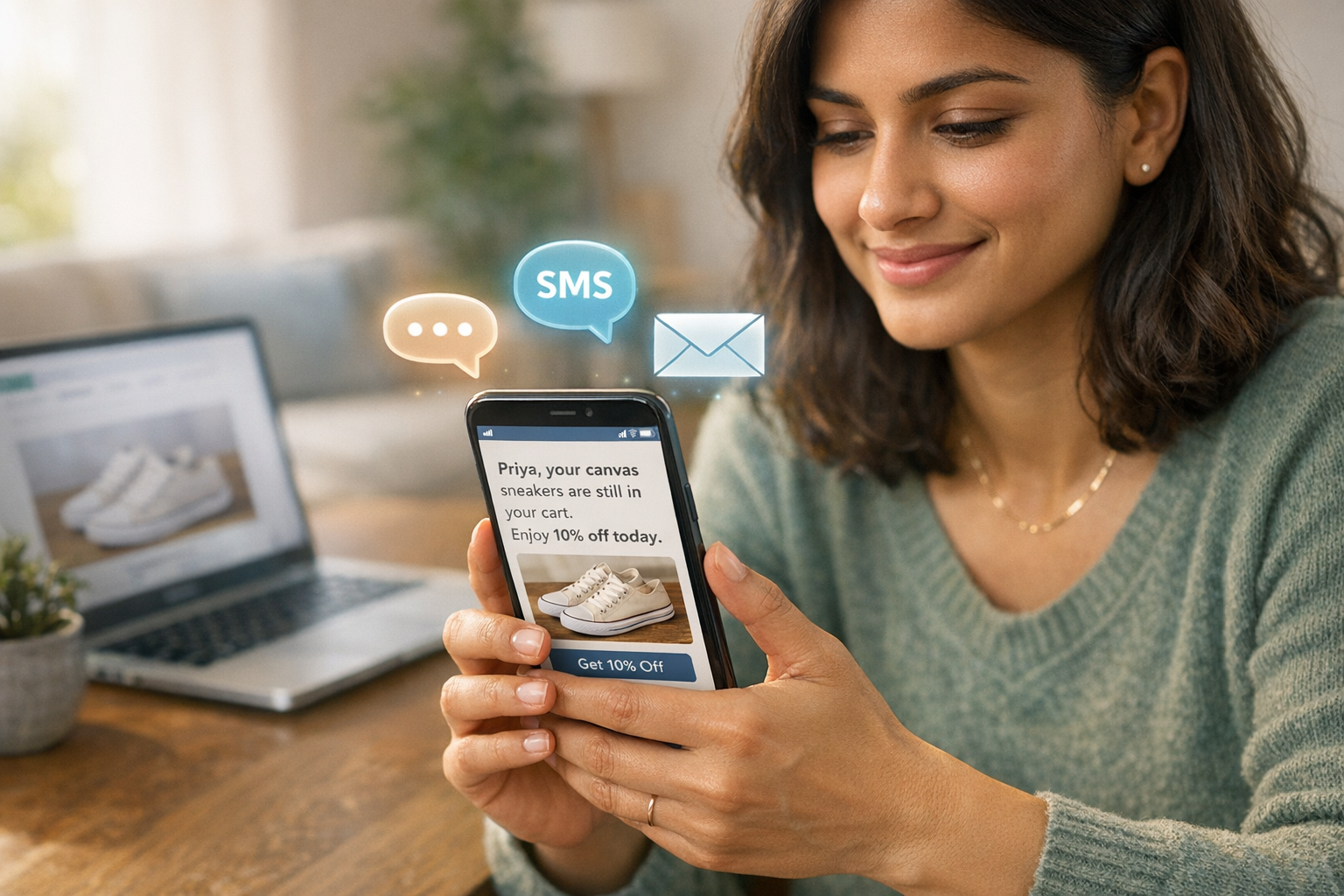
How AI Personalizes Abandoned Cart Recovery
India’s e-commerce industry faces a massive challenge: cart abandonment rates on mobile devices often exceed 85%, leading to significant revenue losses. For a Shopify store generating ₹80,00,000 in monthly sales, a 70% cart abandonment rate could mean losing over ₹1,80,00,000. Traditional recovery methods like generic emails fail to address this effectively.
AI-powered solutions offer a better approach by analyzing real-time customer behaviour to craft personalised recovery messages. These include tailored discounts for price-sensitive shoppers, reassurance about shipping policies, or reminders sent via high-engagement channels like WhatsApp. AI-driven campaigns have shown to boost recovery rates by up to 20%, with WhatsApp achieving 98% open rates and 90% of messages read within 3 minutes.
For Indian brands, integrating tools like Messagesuite with Shopify enhances cart recovery efforts through omnichannel marketing features like dynamic message templates, multi-channel delivery, and AI segmentation. These tools enable businesses to recover lost revenue while addressing unique challenges like COD confirmations and high RTO rates. By leveraging AI, businesses can turn abandoned carts into completed purchases, improving both sales and customer experience.
How to Use AI for Abandoned Cart Email Recovery (Step-by-Step)
sbb-itb-e5ef79e
Setting Up Messagesuite for Cart Recovery
Integrating Messagesuite with your Shopify store is straightforward and enables AI-driven cart recovery messages. The system uses real-time data sync to monitor customer activity and deliver tailored messages at the right time.
Connecting Your Shopify Store

Before diving in, make sure your Shopify store's listings, prices, payment gateways, customer details, and inventory are all current.
Messagesuite connects to Shopify through webhooks - automated tools that send data as soon as a customer interacts with their cart. As Setu 360 explains:
Webhooks are the nervous system of your Shopify store.
To get started, you’ll need to configure three webhook events:
checkout/createto capture when a customer begins the checkout process.checkout/updateto track changes in cart contents or totals.orders/createto stop recovery messages once a purchase is completed.
The platform automatically syncs customer information like names, phone numbers (in E.164 format, e.g., +918005550123), email addresses, cart details (including product images), total prices in ₹, and unique recovery URLs. This data is essential for AI analysis and personalised messaging.
In your Shopify admin, go to Settings > Checkout and set the "Customer contact method" to "Phone number or email". This ensures you collect the mobile numbers required for WhatsApp and SMS recovery. If you’re using Messagesuite, turn off Shopify’s default abandoned checkout notifications to prevent duplicate messages.
It’s also crucial to have proper customer consent for marketing messages. Ensure phone numbers follow the E.164 format, and remember that SMS sender IDs are limited to 11 characters with no spaces (e.g., "My Fashion Store" becomes "MyFashionSt").
With your Shopify store connected and data flowing, you can now activate Messagesuite’s AI features to enhance your recovery campaigns.
Activating AI Features
Once the integration is complete, head to the Messagesuite dashboard to unlock AI tools that elevate basic reminders into tailored recovery campaigns.
Messagesuite’s AI segmentation automatically categorises customers into groups like "New", "Returning", or "VIP" based on their activity and purchase history. By enabling generative AI, you can create personalised messages that include the customer’s name and product images. This technology uses large language models to craft engaging copy for email, SMS, and WhatsApp, making the communication feel more human. Personalised abandoned cart emails can achieve open rates as high as 49.49%, compared to the usual 15–20%.
Set up automated workflows with well-timed messages. The first recovery message should go out 15–30 minutes after cart abandonment to catch the shopper while they’re still interested. A typical sequence might include an email at 1 hour, an SMS at 6 hours, and a WhatsApp message at 24 hours, possibly offering a discount code in the final message.
For an extra touch, Messagesuite’s AI voice agents can make automated calls within 15–30 minutes of abandonment to address concerns about shipping or returns. Additionally, activate A/B testing to let the AI identify the most effective channel - email, SMS, or WhatsApp - for specific customer segments. Multi-channel automation can recover 10–20% of abandoned carts, leading to noticeable revenue gains.
With these features in place, Messagesuite’s AI system will handle recovery efforts seamlessly, learning and improving with every interaction.
Building Personalised Cart Recovery Campaigns
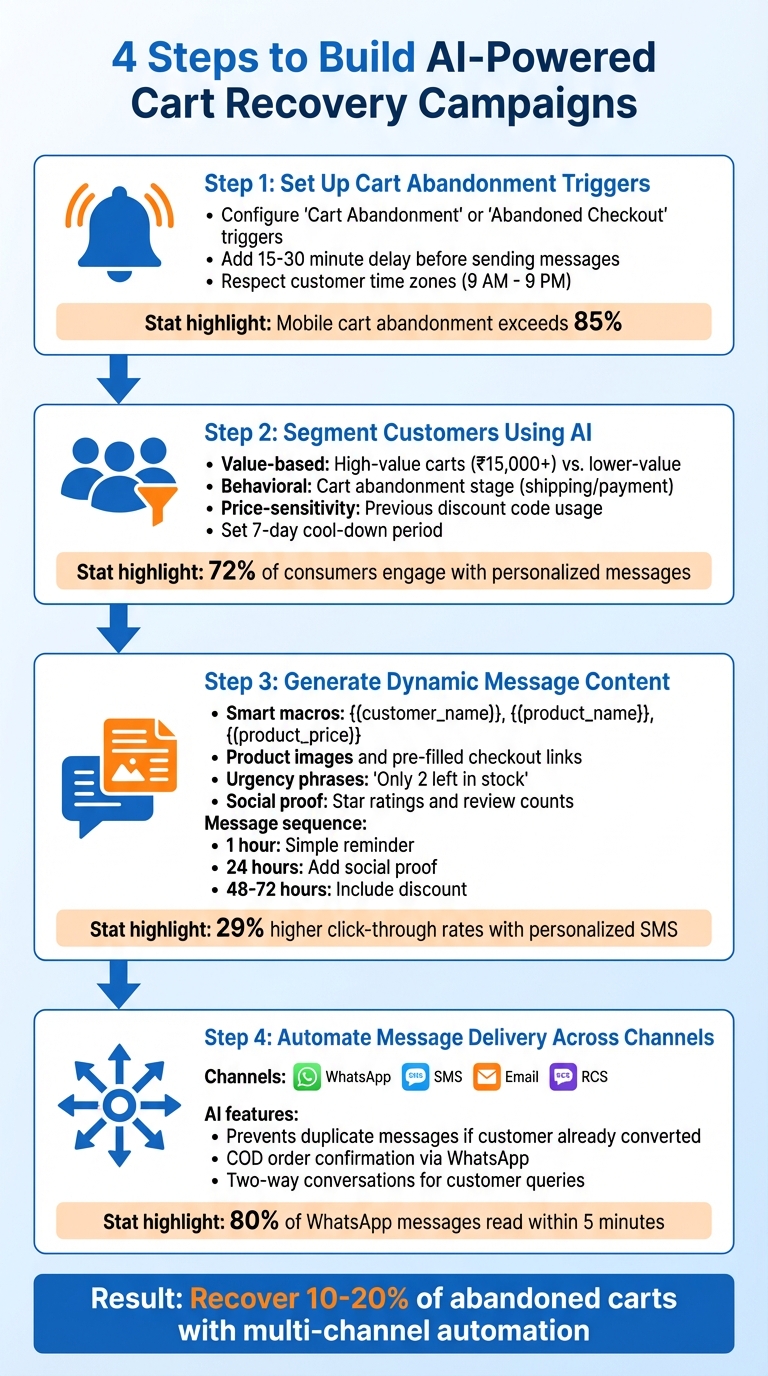
4-Step AI-Powered Cart Recovery Process for Shopify Stores
Now that your Shopify store is connected and AI features are live, here’s how you can turn abandoned carts into completed purchases with four focused steps.
Step 1: Set Up Cart Abandonment Triggers
In the Messagesuite automation builder, choose "Cart Abandonment" or "Abandoned Checkout" as the primary event trigger to detect incomplete purchases in real time.
These triggers rely on the webhooks you've already set up, capturing abandonment as it happens. Add a delay of 15–30 minutes to check if the purchase is still incomplete before sending recovery messages.
To maintain a positive brand image, configure your triggers to respect customer time zones, ensuring messages are sent only between 9 AM and 9 PM in the customer’s local time. This is especially important since mobile cart abandonment rates can exceed 85%.
Once these triggers and delays are in place, the system can effectively segment customers for targeted outreach.
Step 2: Segment Customers Using AI
Messagesuite's AI automatically organises customers into meaningful segments based on their behaviour and cart details. For instance, value-based segmentation can distinguish between high-value carts (above ₹15,000) and lower-value ones. High-value customers may receive personalised services like concierge messages or free expedited shipping, while others might get simple reminders.
The AI also analyses where customers abandoned their cart (e.g., at the shipping or payment stage) and the time spent browsing. This behavioural data helps tailor messages - like highlighting warranties for electronics or freshness for perishable items.
For price-sensitive shoppers, especially those who’ve used discount codes before, the AI can offer targeted incentives while safeguarding your profit margins by avoiding unnecessary discounts for loyal customers. This approach ensures that 72% of consumers engage with personalised messages.
To avoid overwhelming customers, set a "cool-down" period that prevents recovery sequences from re-triggering for the same user within seven days.
Step 3: Generate Dynamic Message Content
Messagesuite's AI crafts personalised templates using smart macros like {{customer_name}}, {{product_name}}, and {{product_price}}. It even analyses your brand’s website and tone to create messages that feel natural, not robotic.
These messages include the customer’s name, visuals of the abandoned items, and pre-filled checkout links that take them straight back to their cart. This combination of visual reminders and a frictionless checkout process can dramatically improve conversions - personalised SMS campaigns, for example, achieve 29% higher click-through rates than generic ones.
Add urgency with phrases like "Only 2 left in stock" or "Your cart expires in 24 hours" to create a sense of scarcity. Social proof, such as star ratings or review counts (e.g., "Join 500+ happy customers"), can further build trust.
The AI can also generate exclusive, time-limited discount codes or free shipping offers based on cart value. For example, you can send a simple reminder within the first hour, incorporate social proof at the 24-hour mark, and include a discount in the final message at 48–72 hours. Since 80% of WhatsApp messages are read within 5 minutes, make sure all links and call-to-action buttons are clear and mobile-friendly.
Step 4: Automate Message Delivery Across Channels
Once your personalised templates are ready, deploy them using Messagesuite’s omnichannel delivery system. Set up workflows to automatically send recovery messages through WhatsApp, SMS, email, or RCS, depending on customer preferences and segment characteristics.
The AI ensures a seamless experience by checking if a customer has already converted via one channel before sending follow-ups, avoiding unnecessary messages. For Cash on Delivery (COD) orders, which are particularly popular in India, use WhatsApp to confirm orders and reduce Return to Origin (RTO) rates.
Additionally, AI-powered agents can handle two-way conversations, addressing customer queries about sizing, shipping, or returns directly within the messaging app. This real-time support helps remove purchase barriers.
Measuring Campaign Performance
Once your workflows are live and powered by AI-based personalisation, Messagesuite's analytics provide detailed insights into how your campaigns are performing across WhatsApp, SMS, email, and RCS. The platform organises data into four key categories: Diagnostic, Prevention, Recovery, and Financial metrics. This approach not only tracks abandoned carts but also highlights the customers retrieved through real-time AI interventions - showcasing conversions that might otherwise go unnoticed in Shopify's standard reporting tools.
Metrics to Track
Keeping an eye on key metrics can help you fine-tune your campaigns:
- Abandonment Rates: These typically range between 60–80%. A rate above 75% could indicate friction on your website.
- Recovery Rates: These measure how effective your messages are. A healthy range is 5–15%, with an average of 10.7% projected for 2025. Industry-specific rates vary - beauty and cosmetics brands often see 11–14%, while electronics stores average between 6–9%.
- Engagement Metrics: SMS campaigns boast impressive open rates of up to 98%, compared to email's 30–40%. Click-through rates for SMS are also higher, ranging between 20–35%.
- Recovered Revenue: Use channel-specific discount codes (e.g., 'WA-XXXX' for WhatsApp, 'SMS-XXXX' for SMS) to track revenue effectively. Auto-apply discount links can further increase conversions by 15–20% compared to manual code entry.
- Cost Efficiency: Keep SMS recovery costs below 20% of profit margins. Sending costs typically range from ₹0.80 to ₹12 per message.
Tracking these numbers not only quantifies your success but also highlights areas for improvement.
Improving Campaigns with Data
Data-driven adjustments can significantly enhance your campaign outcomes:
- Prevention Metrics: Review weekly conversion rates for prevention offers. If acceptance rates drop below 15%, consider updating AI-driven incentives to make them more appealing.
- Funnel Analysis: Use the Funnel Report to pinpoint where visitors are dropping off and resolve issues like site friction.
- Checkout Optimisation: If customers accept offers but fail to complete purchases, investigate potential problems in the checkout process, such as technical glitches or unexpected costs.
- Product Reports: Identify pages with high abandonment rates and optimise them to improve user experience.
- Purchase Insights: Analyse data on time-to-purchase and session counts. Adjust recovery message timing to fall within the optimal 1–4 hour window for maximum impact.
- Campaign Flags: Set thresholds to monitor campaigns with recovery rates below 5%, so you can intervene and make necessary adjustments.
Conclusion
Cart abandonment doesn’t have to spell the end of a sale. With AI-driven personalisation through Messagesuite, Shopify store owners can turn a staggering 70% abandonment rate into a golden opportunity for revenue recovery. By integrating WhatsApp, SMS, email, and push notifications into a single workflow, Messagesuite achieves recovery rates of 35% or more - far outperforming the 5–10% recovery rates typical of traditional email-only campaigns.
The platform’s unified customer profiles ensure that duplicate messages are avoided, while its push-first strategies help cut costs by 40–60%, protecting both margins and returns. Add conversational AI into the mix - capable of addressing product queries and shipping concerns in real-time - and routine reminders evolve into meaningful customer interactions that directly boost conversions.
Industry experts are clear about the potential here:
"WhatsApp cart recovery is not an optional channel - it is the highest-performing recovery channel available for ecommerce stores in 2026." - Mosharof Sabu, Strategic Researcher
The data backs this up: WhatsApp messages boast 98% open rates, with most being read within just 3 minutes. Furthermore, customers recovered through personalised campaigns tend to have a 44% higher lifetime value. To put it into perspective, for a store with an average order value of ₹6,250, recovering just 5% of abandoned carts could generate over ₹37,50,000 in additional annual revenue.
FAQs
What customer data does AI use to personalise cart recovery?
AI taps into customer data such as shopping habits, timing, preferences, predictive insights, and engagement trends to create personalised strategies for abandoned cart recovery. By analysing this information, it crafts timely and relevant messages, often featuring customised incentives, to encourage customers to return and complete their purchases.
How many recovery messages should I send, and when?
The sweet spot for recovery messages is 1 to 3 messages. Timing is key: send the first message within 1–4 hours of cart abandonment to reach customers when their intent is still fresh. Follow up with additional messages spaced out over 24 to 72 hours. Be careful not to overdo it - sending too many messages or waiting too long can backfire, affecting both recovery rates and your relationship with customers.
How do I measure AI cart recovery ROI in Shopify?
To figure out the ROI of AI-powered cart recovery in Shopify, keep an eye on key metrics like recovery rate, revenue recovered, and campaign costs. The goal is to compare the revenue brought back to the expenses spent on tools and execution. Pay special attention to incremental revenue - the sales that happen only because of your recovery efforts. Also, track KPIs such as open rates, response rates, and conversion rates. By analysing these metrics over time, you can assess how well your AI-driven recovery campaigns are performing.